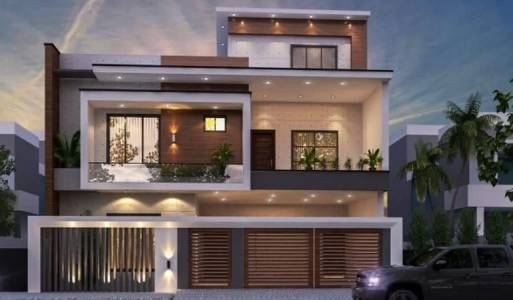
Description
Architect Designing in Markdown: Structure Your Vision, Simply.
The Future of Architectural Documentation and Communication.
Complex architectural projects demand clear, precise, and adaptable documentation. But traditional methods often lead to cluttered files, version control nightmares, and communication bottlenecks.
Enter Architect Designing in Markdown – not a software tool, but a revolutionary methodology that leverages the power of simple, plain text Markdown to create, organize, and communicate architectural ideas, specifications, and project information with unparalleled clarity and efficiency.
What is Architect Designing in Markdown?
It's a paradigm shift in how architects and design professionals approach documentation. Instead of relying on proprietary software or complex word processors for every detail, Architect Designing in Markdown advocates for using the universally accessible Markdown syntax for the core textual components of your projects. This includes:
- Project Briefs & Scopes of Work
- Conceptual Narratives & Design Intent Statements
- Material Specifications & Technical Requirements
- Site Analysis & Feasibility Reports
- Meeting Minutes & Action Items
- Client Communication & Internal Documentation
- Research & Knowledge Management
Key Features & How It Works:
- Structured Text for Clarity:
- Utilize Markdown's simple headings (#, ##, ###) to create a clear, hierarchical structure for your documents, making complex information digestible at a glance.
- Organize information with ordered and unordered lists (*, -, 1.) for specifications, checklists, and step-by-step instructions.
- Highlight critical information using bold (**text**), italics (*text*), and blockquotes (> quote).
- Portable & Future-Proof:
- Markdown files (.md or .txt) are plain text, ensuring universal compatibility across operating systems and devices. No more proprietary format lock-in.
- Your documentation will remain readable and accessible for decades, independent of specific software versions or subscriptions.
- Seamless Version Control Integration:
- Markdown's plain text nature makes it perfectly suited for Git-based version control systems (e.g., GitHub, GitLab, Bitbucket).
- Track every change, review diffs with ease, and collaborate with teams without merge conflicts often encountered with binary document formats.
- Rich Content Integration (by reference):
- Images: Link directly to diagrams, sketches, floor plans (hosted externally or locally) using .
- Tables: Create structured data for schedules, budgets, and comparison charts with simple, intuitive syntax.
- Code Blocks: Embed technical specifications, scripting examples, or fabrication notes using fenced code blocks (python ... ).
- Links: Easily reference external documents, research papers, regulations, or internal assets.
- Focus on Content, Not Formatting:
- Eliminate the distractions of complex formatting toolbars. Markdown empowers you to write and structure content at speed, allowing your ideas to flow freely.
- Appearance can be applied later via CSS stylesheets when converting to HTML, PDF, or other formats.
- Collaboration Ready:
- Share Markdown files effortlessly. Reviewers can easily suggest edits using standard text editors or collaborative platforms that support Markdown.
- Integrates with project management tools and knowledge bases that leverage Markdown for richer content.
Benefits for Architects & Design Professionals:
- Streamlined Workflows: Spend less time fighting with formatting and more time focusing on design and content.
- Enhanced Clarity & Precision: Force yourself to articulate ideas concisely, leading to unambiguous communication for clients, contractors, and team members.
- Improved Collaboration & Team Efficiency: Facilitate smoother teamwork with easy sharing, review, and merging of documentation changes.
- Robust Project Memory & Audit Trail: Maintain a comprehensive and easily searchable record of all project decisions, iterations, and specifications.
- Future-Proof Documentation: Protect your project's intellectual property and ensure long-term accessibility of critical information.
- Cost-Effective & Accessible: Utilize free, open-source tools for writing, previewing, and version controlling your Markdown documents.
- Adaptable Output: Convert your Markdown files to professional-looking PDFs, web pages, client presentations, or even eBooks using tools like Pandoc, maintaining a consistent brand identity.
Who Is Architect Designing in Markdown For?
- Solo Architects & Small Firms: Streamline your internal processes and client communications.
- Large Architectural Practices: Implement a standardized, version-controlled documentation system across projects and teams.
- Architectural Students: Organize research, project reports, and thesis drafts efficiently.
- Project Managers & Design-Build Teams: Ensure crystal-clear communication between design, engineering, and construction phases.
- Clients & Stakeholders: Receive concise, easy-to-read project briefs and updates.
Practical Use Cases:
- Initial Project Briefs: Define client needs, project goals, and constraints.
- Conceptual Design Narratives: Articulate the design intent, spatial qualities, and material palettes.
- Building Code Summaries: Distill relevant code sections and compliance notes.
- Material & Product Specifications: Detail required finishes, fixtures, and systems with clear references.
- Site Analysis Reports: Document environmental factors, existing conditions, and regulatory contexts.
- Meeting Agendas & Minutes: Record decisions, action items, and responsibilities accurately.
- Construction Administration Logs: Track RFI responses, submittals, and field observations.
- Knowledge Base & Best Practices: Build an internal library of design patterns, technical solutions, and office standards.
The Toolkit You'll Need:
- Any Text Editor: VS Code, Sublime Text, Atom, Notepad++, Typora (with built-in preview).
- Markdown Previewer: Often integrated into modern text editors, or standalone apps.
- Version Control System: Git (with platforms like GitHub, GitLab, Bitbucket).
- Optional Conversion Tool: Pandoc (for converting Markdown to PDF, DOCX, HTML, etc.).
- Optional Diagramming Tool: Link to diagrams created in dedicated software (e.g., Mermaid.js or PlantUML for text-based diagrams that can be embedded directly, or traditional tools like AutoCAD/Revit for detailed drawings).
Disclaimer:
Architect Designing in Markdown is a methodology for text-based documentation and communication. It is not a substitute for CAD software (AutoCAD, Revit), 3D modeling tools (SketchUp, Rhino), or dedicated visual design applications. It complements these tools by providing a superior method for structuring the written information that surrounds and supports your visual designs.
Embrace the simplicity, power, and future-readiness of Architect Designing in Markdown. Transform your architectural documentation from a tedious chore into a precise, collaborative, and enduring asset.
Start structuring your vision today.